Find room for focused work
See when your work stays uninterrupted and which apps you switch between, then plan your next stretch of work.
Work with focus, take breaks, and make time for life beyond work.
Try before you buy14-day refund$19 oncemacOS 15+
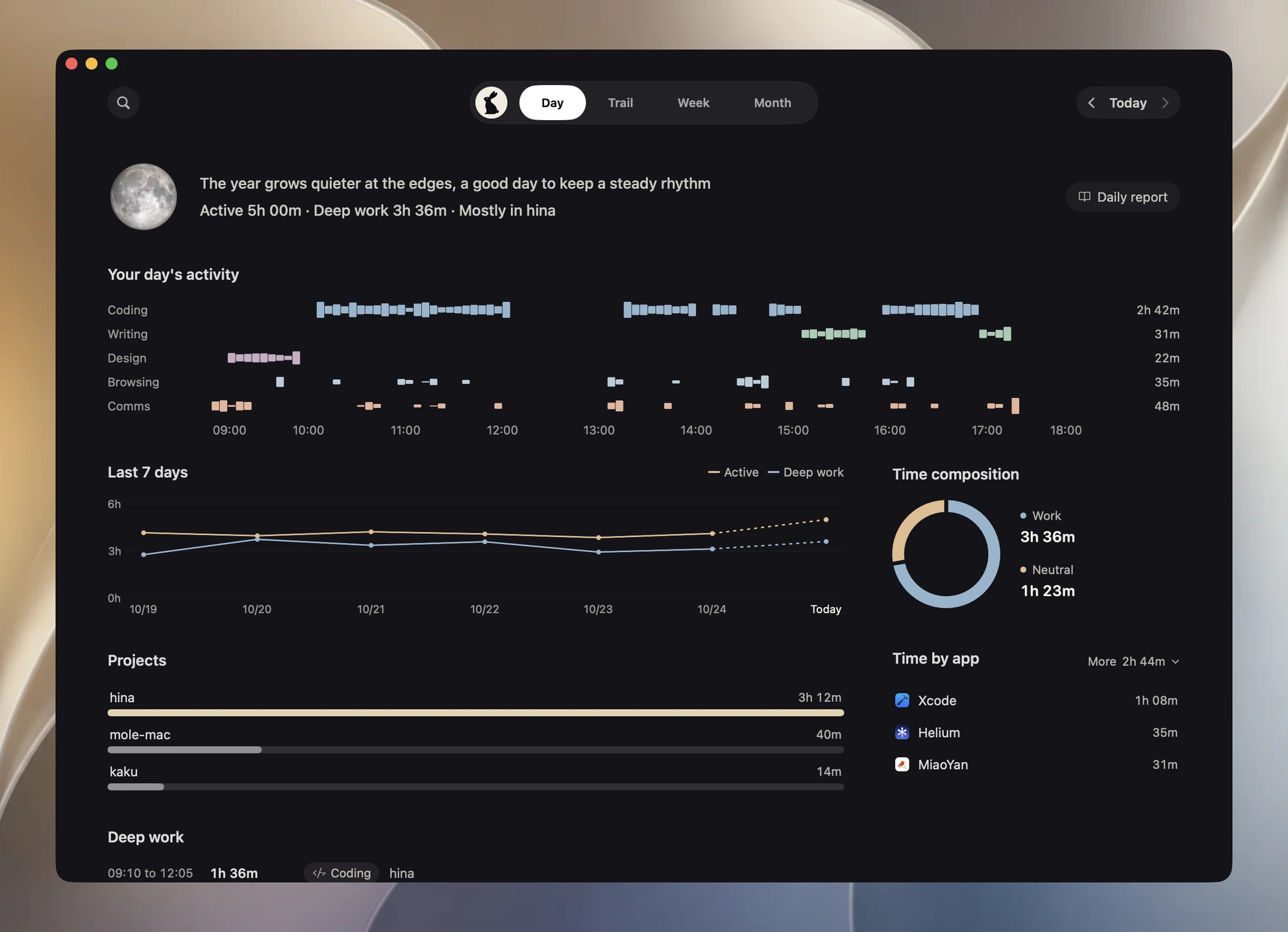
October 25, 2026 · Demo data
5h 00m of recorded activity, 3h 36m of deep work, 3 projects past five minutes each, 4 commits across 3 repositories. You opened 4 agent sessions in all.
Local commits cover "keep permission text readable in narrow welcome windows" and "remove outdated setup steps from the getting-started guide".
What you asked AI
Recorded activity
Local commits cover "keep scan results in place when new files arrive".
What you asked AI
Recorded activity
Local commits cover "make selected text visible in the light theme".
What you asked AI
Recorded activity
Commits today went mostly to hina (2 commits, including "remove outdated setup steps from the getting-started guide").
| Project | At keyboard | Commits | Sessions | Commit signals | Workspace |
|---|---|---|---|---|---|
| hina | 3h 12m | 2 | 2 | 1 documentation update and 1 feature | Clean |
| mole-mac | 40m | 1 | 1 | 1 fix | Clean |
| kaku | 14m | 1 | 1 | 1 fix | Clean |
3h 12m of recorded activity, 2 commits, 2 sessions, 2 files touched, 52 lines added, 39 removed.
What you asked AI
Recorded activity
Local commit record
40m of recorded activity, 1 commit, 1 session, 1 file touched, 21 lines added, 9 removed.
What you asked AI
Recorded activity
Local commit record
14m of recorded activity, 1 commit, 1 session, 1 file touched, 6 lines added, 4 removed.
What you asked AI
Recorded activity
Local commit record
What you worked on
Recorded activity
4 files touched today, 79 lines added, 52 removed, mostly Swift, Markdown, Rust.
hina/Sources/Hina/UI/WelcomeView.swift +38 -12
hina/docs/getting-started.md +14 -27
mole-mac/MoleApp/Scan/DiskScanner.swift +21 -9
kaku/src/config/theme.rs +6 -4
Day
Time by activity and project
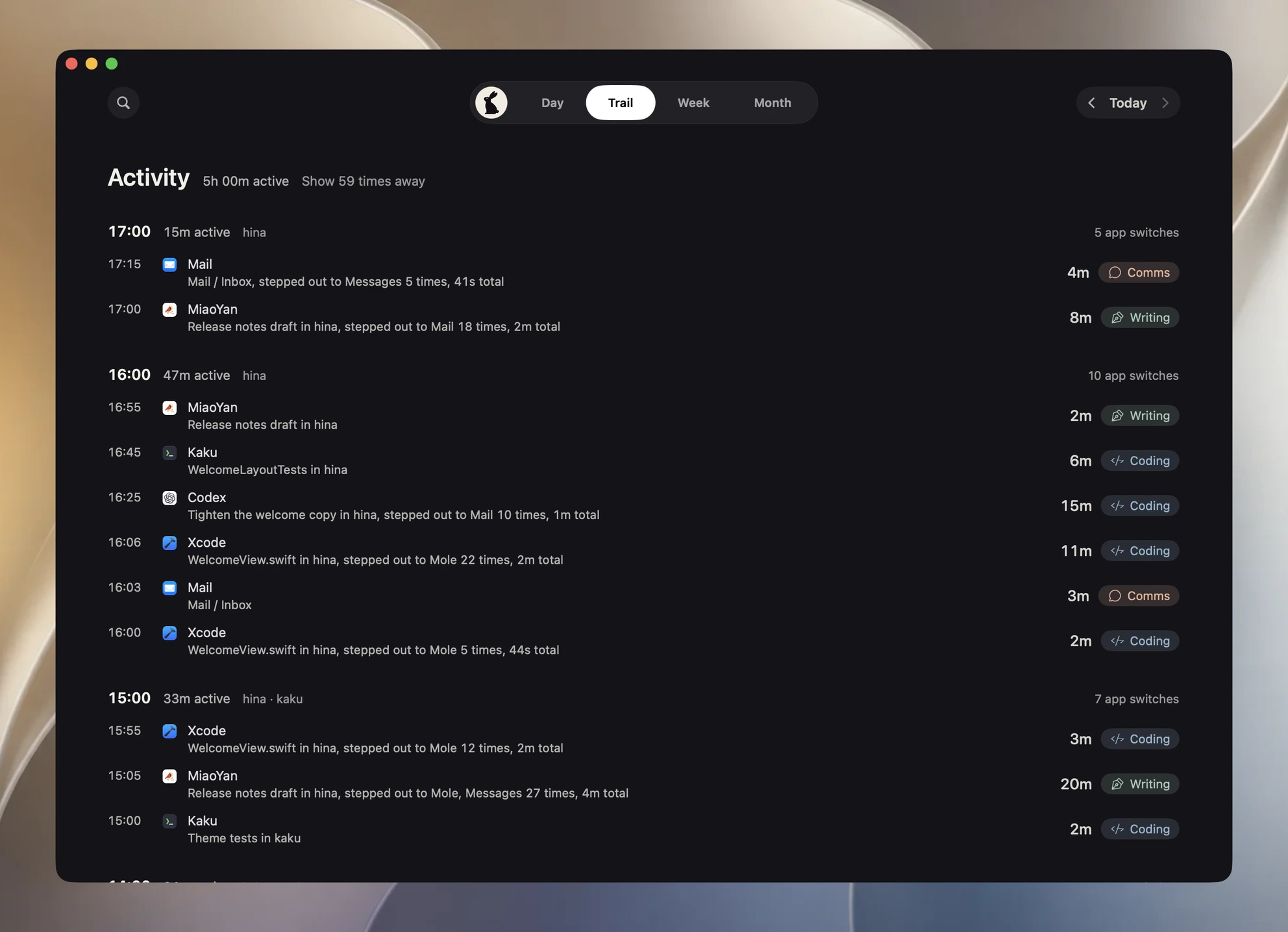
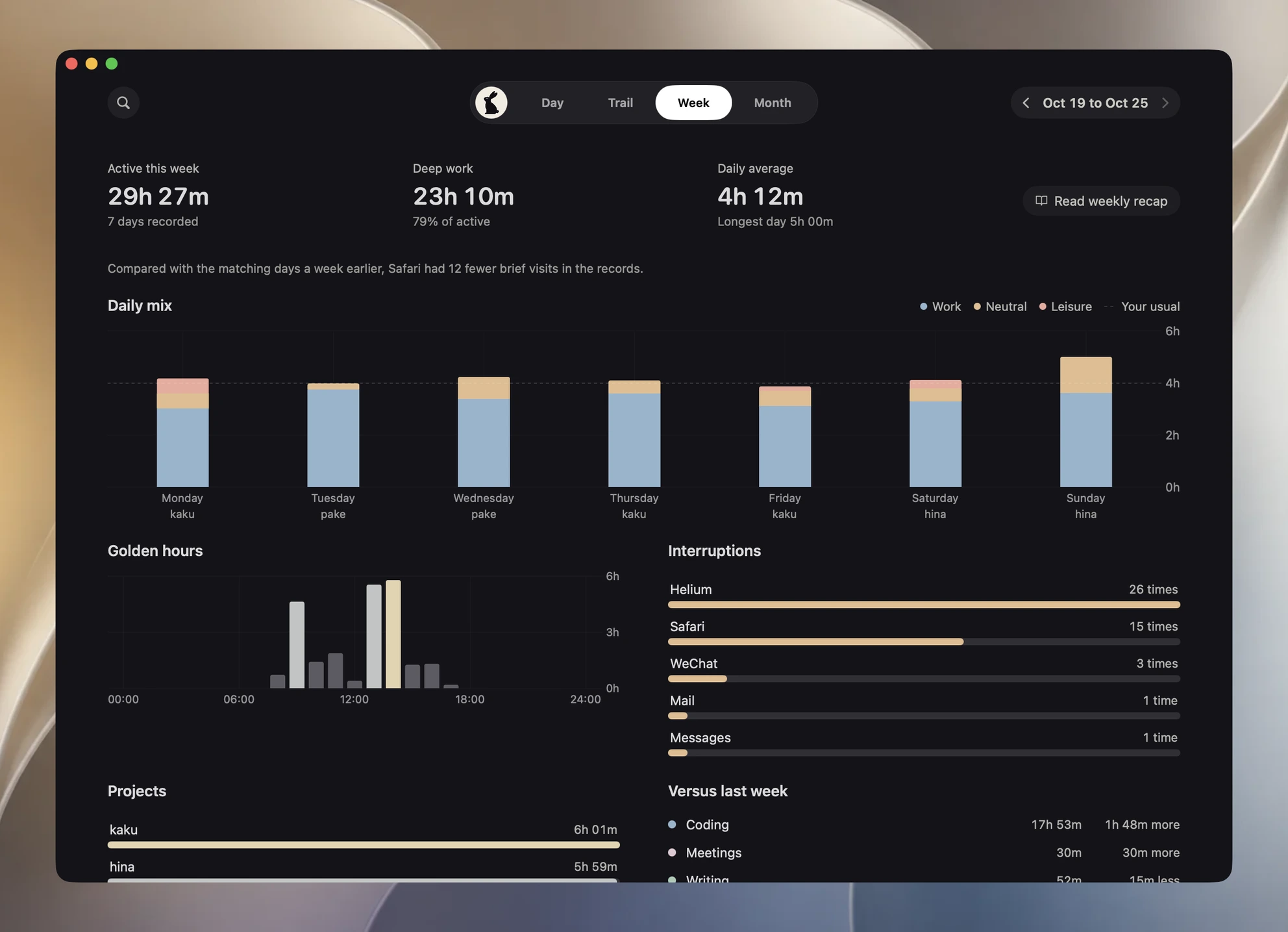
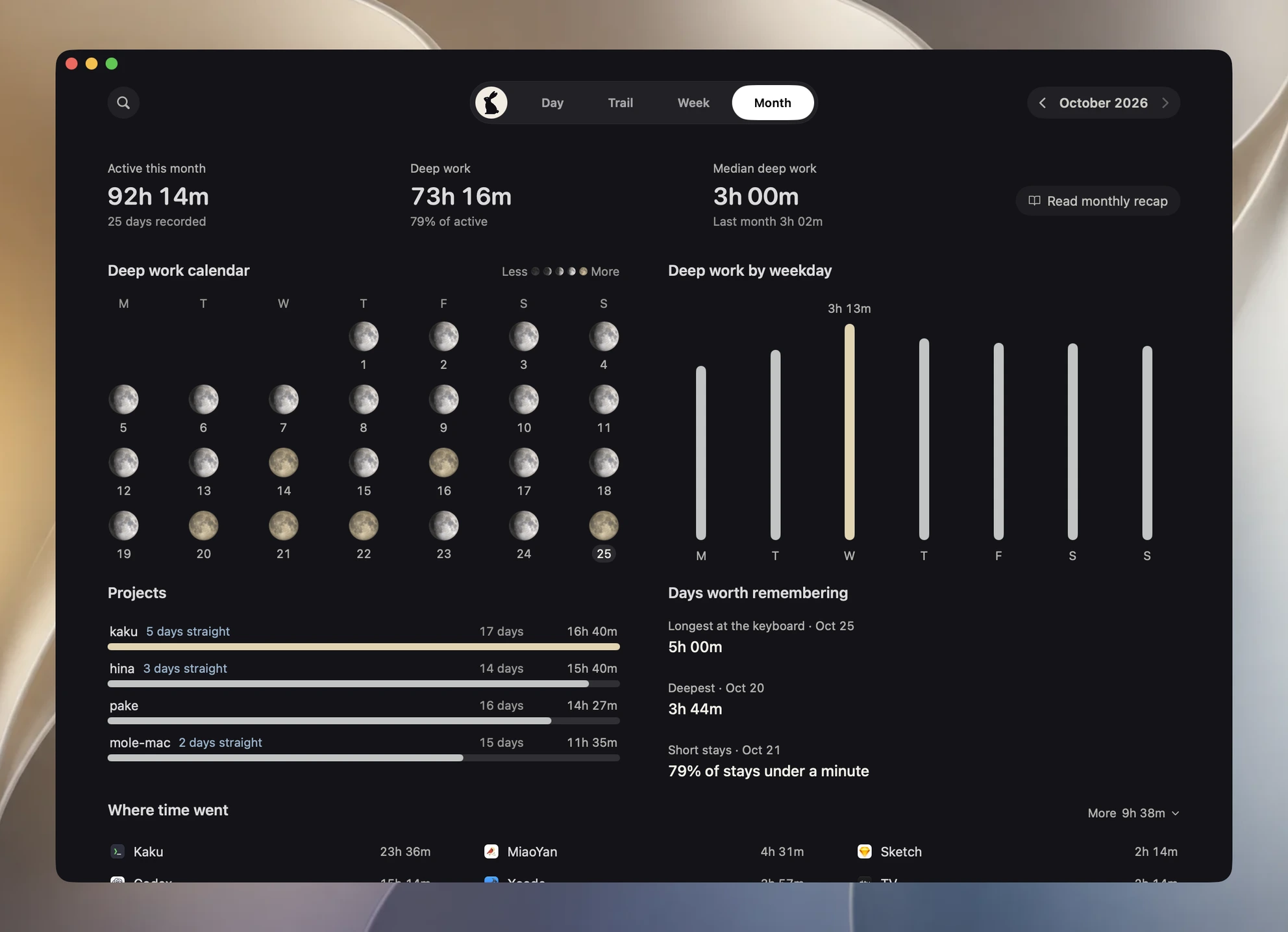

App and project time is recorded automatically, with no timer to start.
See when your work stays uninterrupted and which apps you switch between, then plan your next stretch of work.

Review time by project, with local commits and AI prompts organized together. Pick up where you left off without digging through windows.
A gentle reminder to step away during long stretches, and to rest when it gets late. Quiet while you work, without interrupting what you are doing.
No screenshots or keystrokes captured. Recording, review and search run locally, with no activity data uploaded.
$19
Pay once, keep getting updates.
Buy Hina--status and --probe stay available.Practical ways to review your time and find a rhythm that suits you.